One place for students to explore. One view for advisors to support them.
The Student Connexion brings together a Student Portal and Advisor Dashboard so career exploration, employability activities and advisor context stay connected throughout the year.
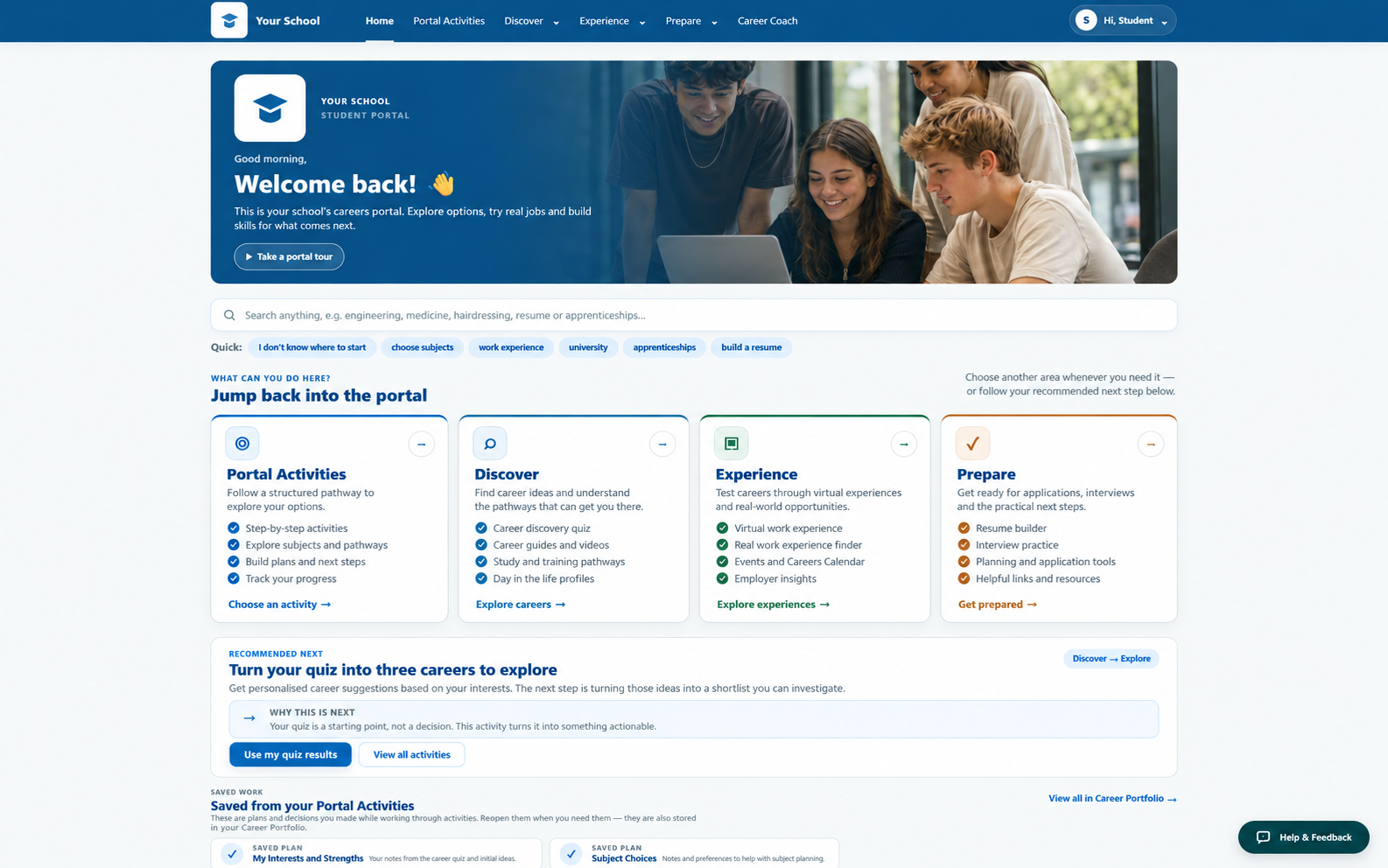
Useful things for students to do, not just information to read.
Students can move from exploration into action — building skills, trying realistic activities and keeping their work together as their plans develop.
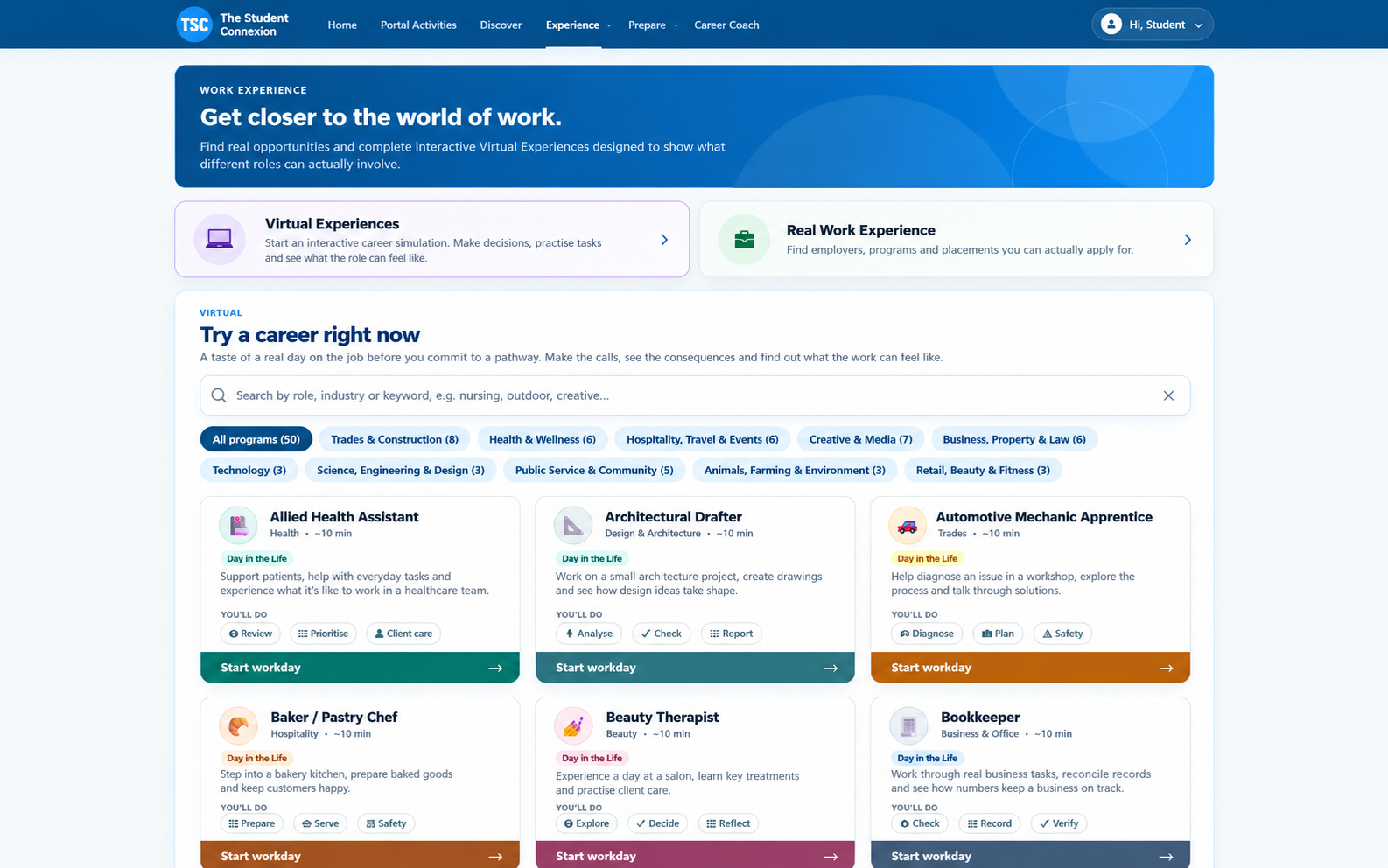
Career Discovery Quiz
A structured interests and strengths quiz that connects students with career guides and pathways based on their responses.
Virtual Work Experience
Realistic, industry-specific experiences students can complete online across a growing range of professions.
Resume Builder
Guided, skills-based resume building designed to help students create a useful first resume even with limited work history.
Interview Practice
Voice-based mock interviews with feedback so students can practise before a real interview matters.
Guided Activities & My Locker
Sequenced career-readiness activities plus a personal space for resumes, certificates and completed work.
Bring student context together before the next conversation.
The dashboard gives careers teams a clearer view of individual students and cohort engagement, with tools that support preparation, administration and reporting.
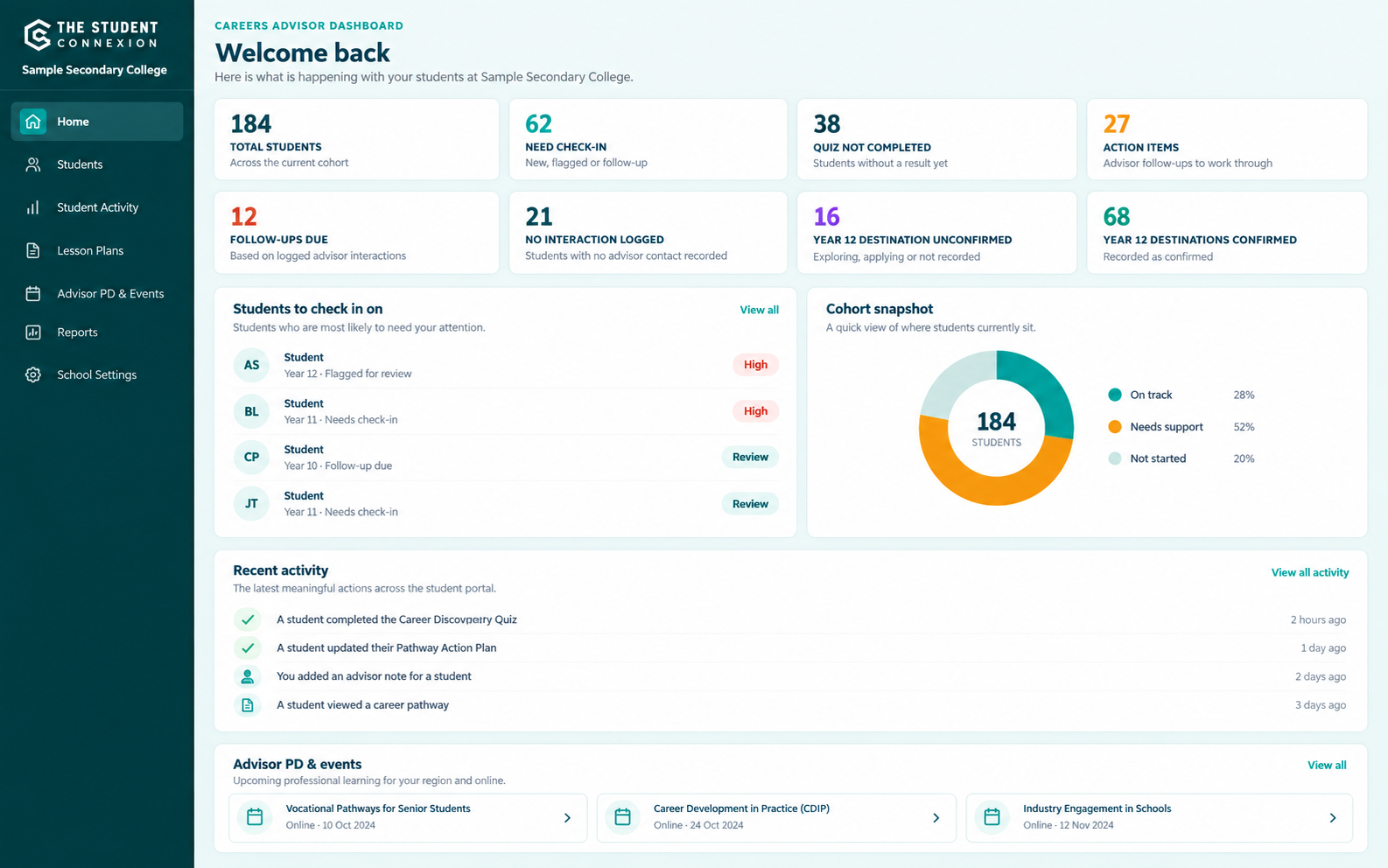
Student profiles & conversation briefs
See quiz results, activity and notes in one place, with a concise AI-generated summary to support preparation before a student meeting.
Bulk cohort tools
Roster upload and bulk updates help careers teams manage whole year groups without maintaining students one at a time.
Termly reporting
Bring engagement and platform activity together in reporting designed to support conversations with school leadership.
Usage analytics
See how students and year groups are engaging so the team can understand participation across the cohort.
Careers events
Relevant careers events are surfaced in the platform to help students and advisors see upcoming opportunities.
A platform designed to fit into the careers program you already run.
Years 9–12
Support early exploration, career readiness and transition at different stages of secondary school.
Simple onboarding
Roster upload, advisor accounts and school setup are handled as part of implementation.
Australian data
School and student data is stored in Australia, with a Data Processing Agreement included in the contract pack.
Ongoing updates
Platform content and features continue to develop as part of the school licence.
Before you book a demo
See the platform with real content.
A short walkthrough shows how the Student Portal and Advisor Dashboard work together.